

Start your 2025 recertification with ease by navigating your IPU portfolio. Whether you’re new to the process or just need a quick refresher, this step-by-step guide will help you feel confident every step of the way.
Please go to the CBIC website (CBIC.org), place your mouse over “My Certification”, select “My Profile”.

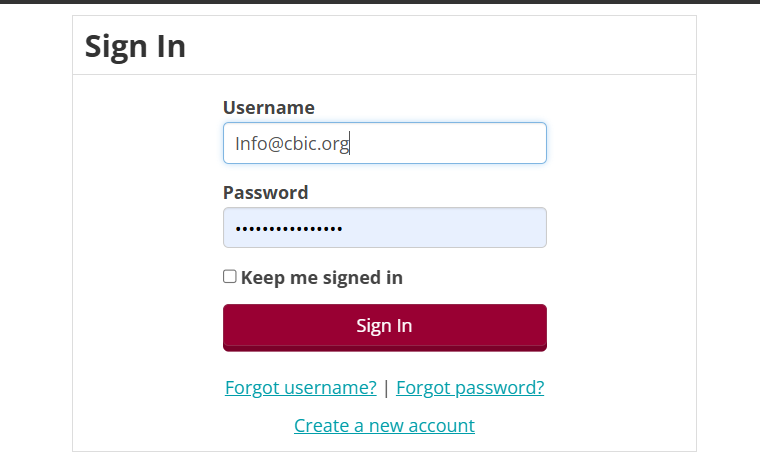
Enter your CBIC login credentials.
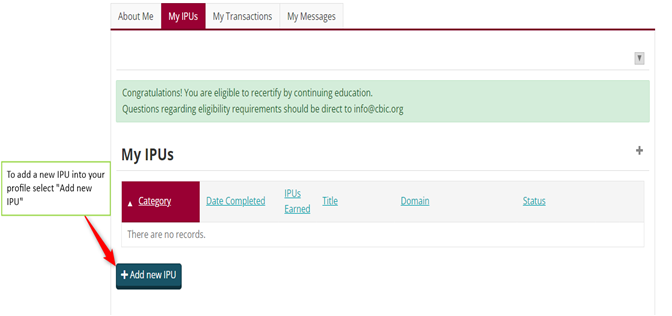
You are now in your CBIC profile! Please go to the “MY CIC IPUs” tab (please select the IPU tab that corresponds with your certification).
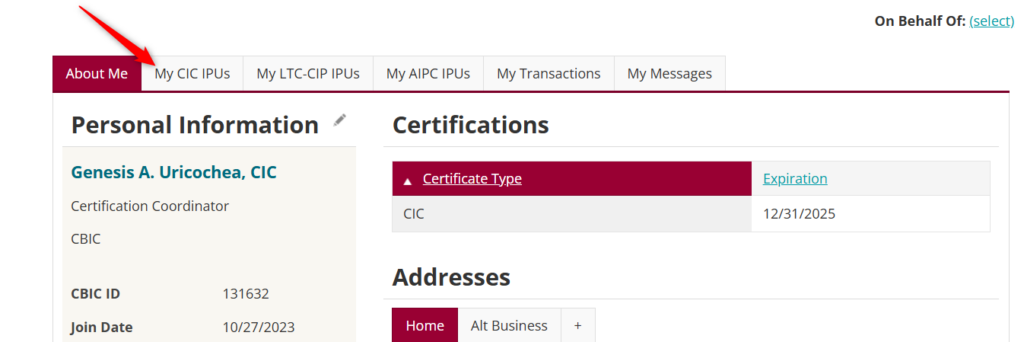
The IPU tab is viewable only if you have an active certification. IPU activities can be added at any time throughout your current five-year recertification cycle. However, you can only pay for and submit your portfolio in the final year of your expiration (i.e.: if your CIC® certification expires 12/31/2025, you would not be able to pay for or submit your IPU portfolio until January 2025).
We recommend reviewing the IPU resources on our website to guide you through the IPU process.
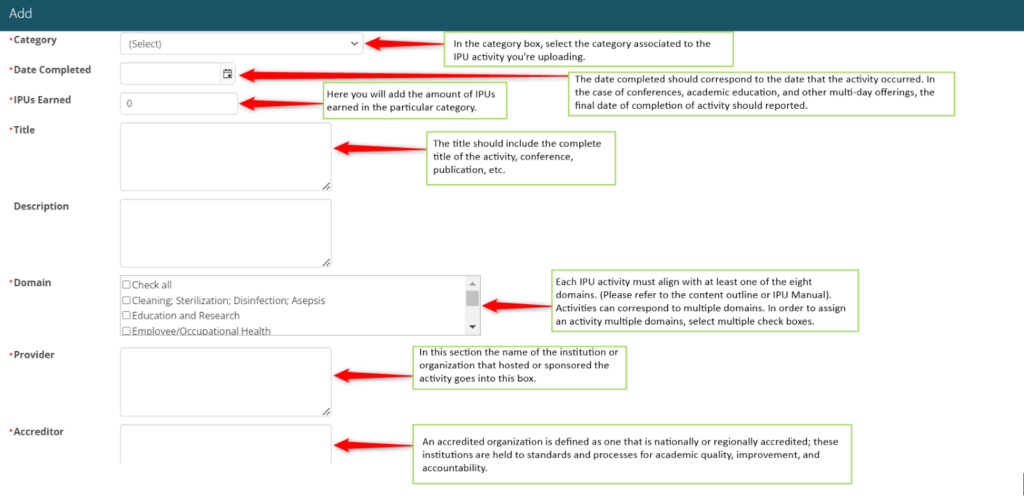
When adding a new IPU into your profile, a new window will appear to input the information of the IPU.
All required sections are marked with an asterisk (*).
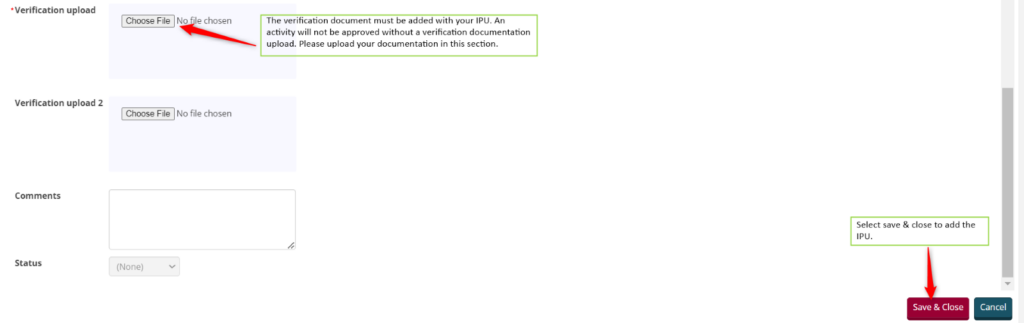
Viewing your IPUs:
You can review your IPUs before submitting your portfolio to CBIC, you do have the opportunity to make changes to your portfolio prior to submitting it. Changes to your portfolio after submitting is not allowed.
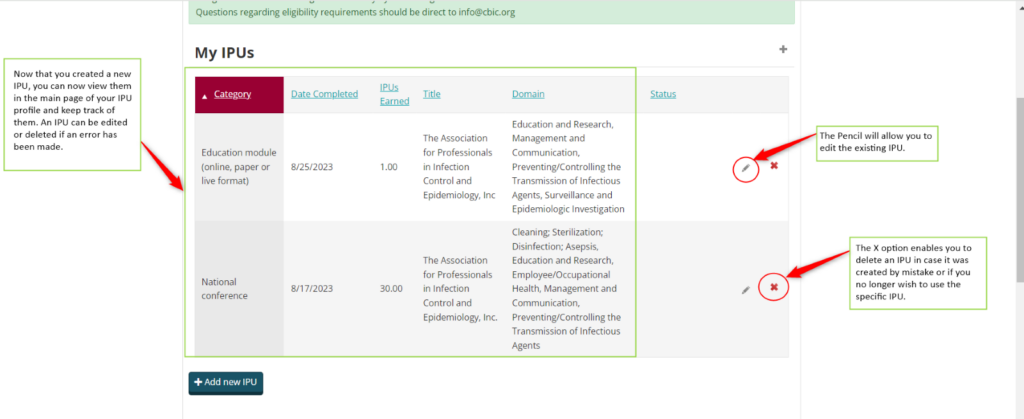
Keeping track of your IPU portfolio:
Your IPU portfolio does keep track as you add new IPUs. It is recommended to keep track as you continuously add to your portfolio.

Check your application status:
Once you have reviewed your IPU portfolio, met all requirements and submitted payment, the “My Application Status” is where you will see the status of your portfolio.

That completes the step-by-step guide to navigating your IPU profile. If you still have any questions or feel confused, please reach out to us at info@cbic.org.