

If you are feeling confused or unsure about how to schedule an exam appointment, we have created a step-by-step guide to help you schedule your exam either at a testing center or through Remote Proctoring. Please follow the guide to assist you with scheduling your appointment.
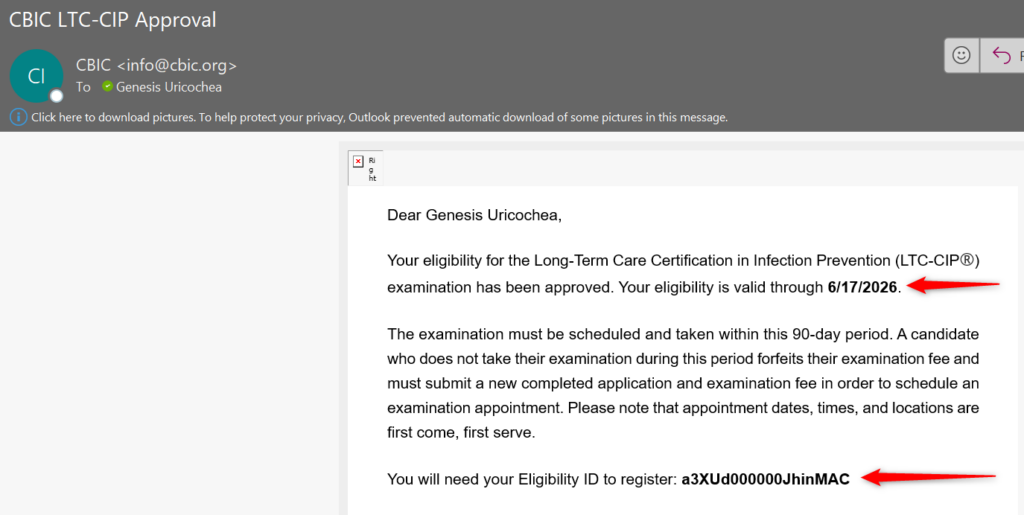
STEP 1: Review your CBIC approval email and locate your eligibility window and eligibility ID. In the sample email below, this candidate can schedule her exam through 6/17/2026 and her eligibility ID is: a3XUd000000JhinMAC.
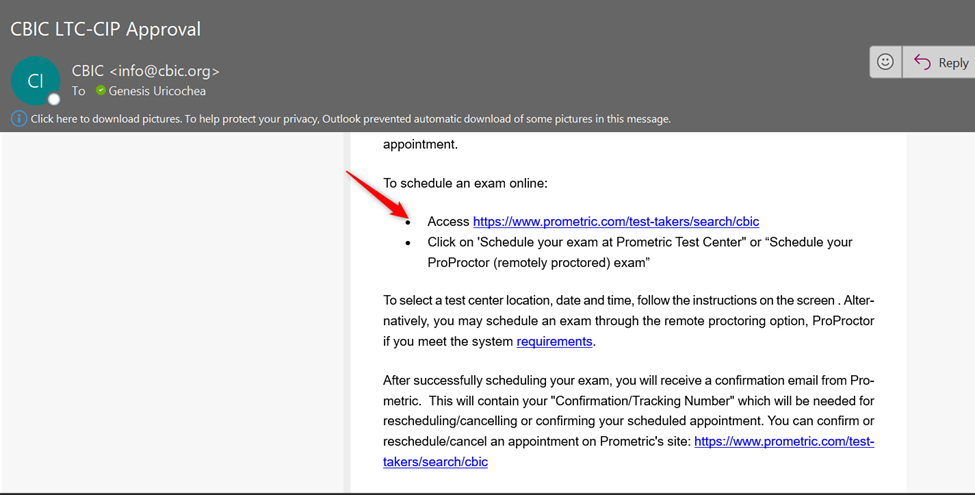
STEP 2: Follow the link to schedule your exam at a test center: https://www.prometric.com/test-takers/search/cbic.
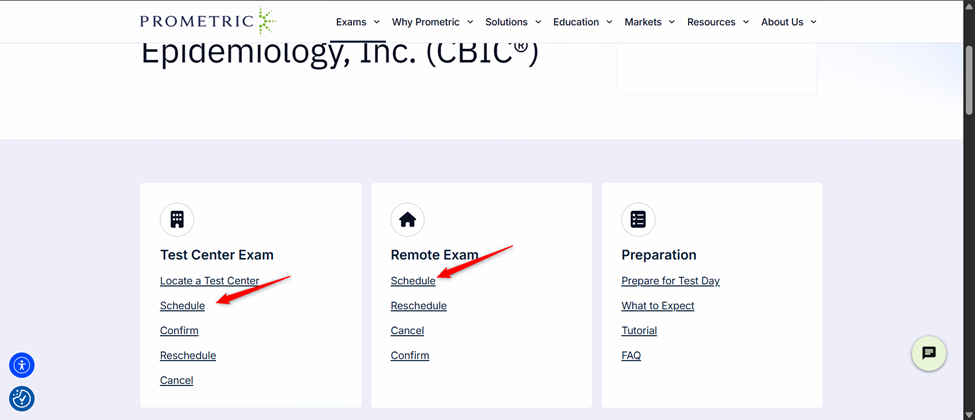
STEP 3: Click Schedule under your preferred method of Testing (Please Note, it is recommended to take an exam at a testing center).
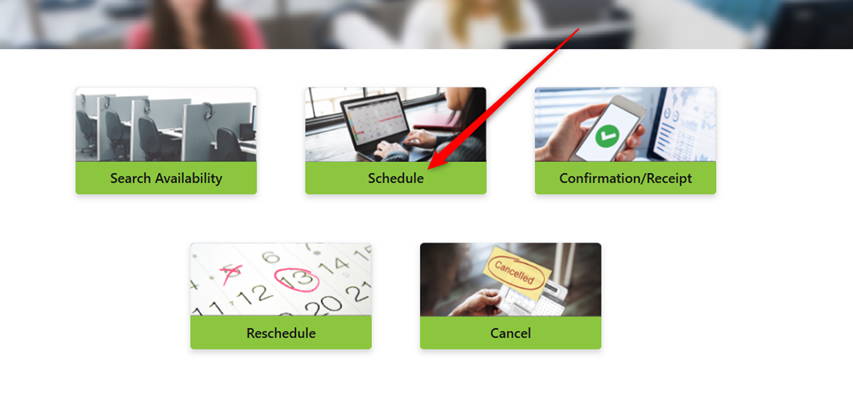
STEP 4: (Only applies to scheduling at a Prometric testing center) Once on the Proscheduler website (https://proscheduler.prometric.com/home), select the Schedule button.
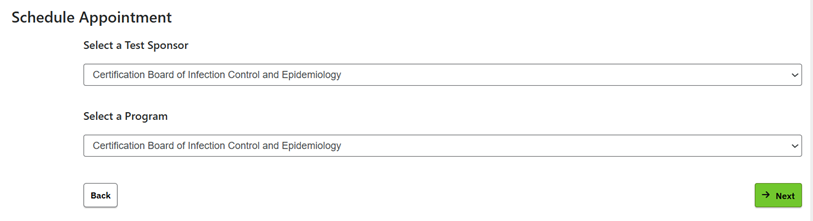
STEP 5: (Only applies to scheduling at Prometric Testing Center) Select Certification Board of Infection Control and Epidemiology for the Test Sponsor and Program.
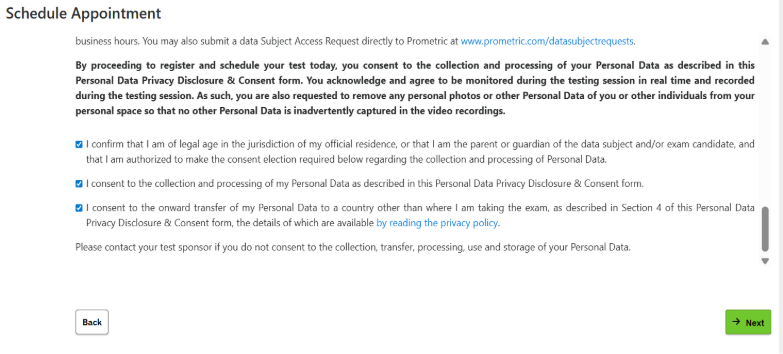
STEP 6: Click through to complete consent and acknowledgement statements.
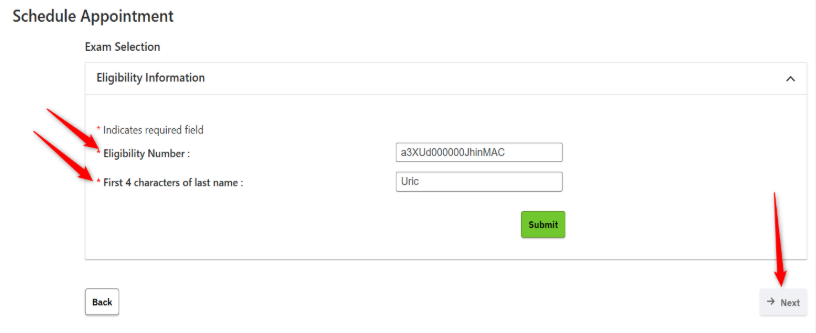
STEP 7: Enter your eligibility ID and first four characters of your last name (If your name has a space in it, then the space is a character, e.g., “Al Di” would be “al d.).
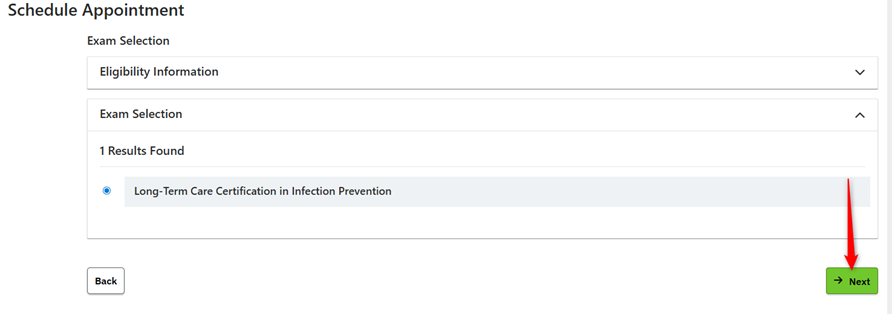
STEP 8: Your examination name should appear below your eligibility information. Click Next.
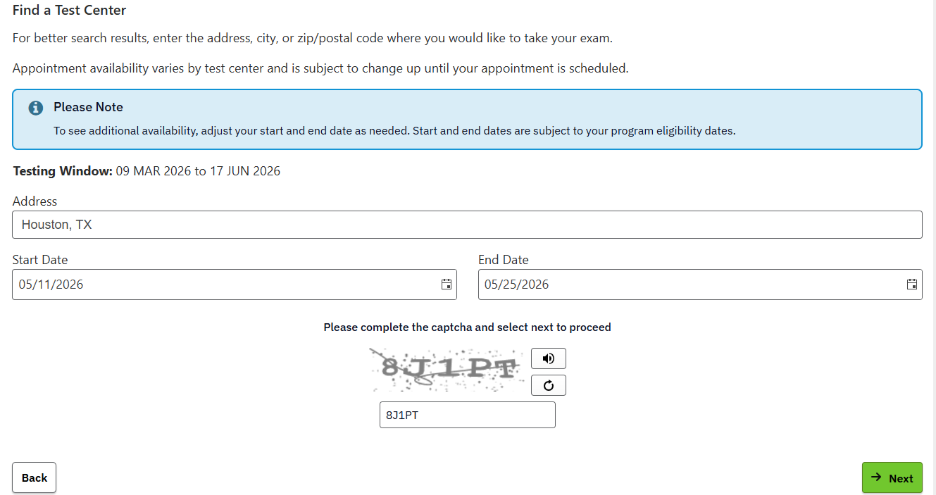
STEP 9: (Only applies to scheduling at Prometric Testing Centers) Enter your preferred location and date range. Please Note, to search for appointments, you must search for appointment dates in two-week intervals. You may search for any appointment dates within your eligibility window.
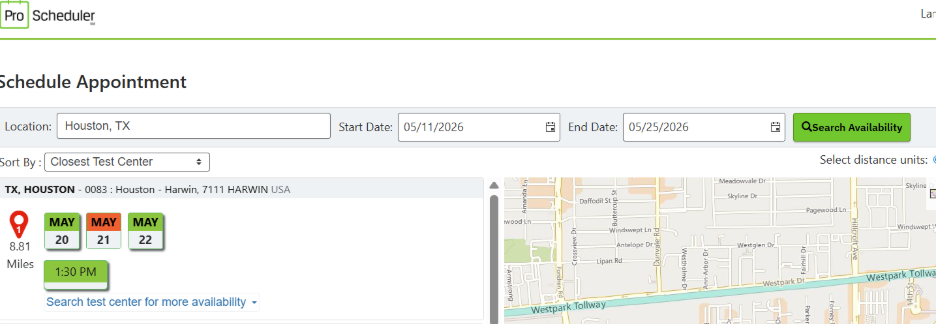
STEP 10: (Only applies to scheduling at Prometric Testing Centers) Select the location at which you’d like to test, then select your preferred date/time.
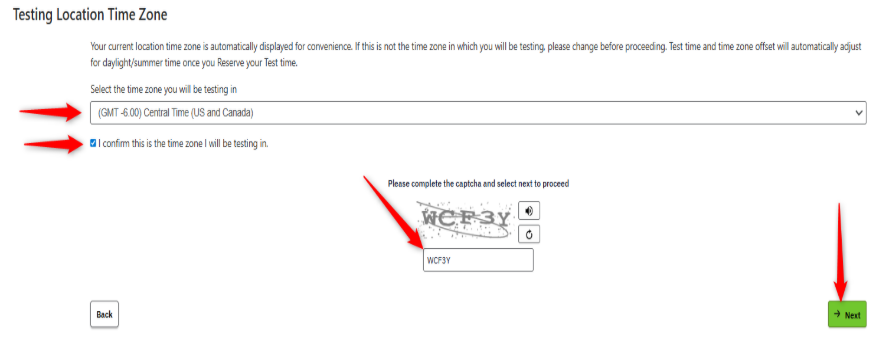
STEP 11: (Only applies to scheduling via Remote Proctoring) Enter your time zone.
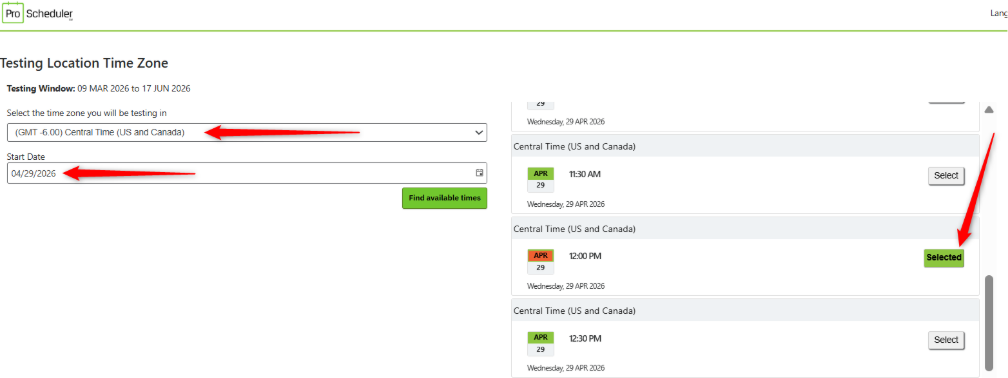
STEP 12: (Only applies to scheduling via Remote Proctoring) Schedule your exam based on your preference and availability.
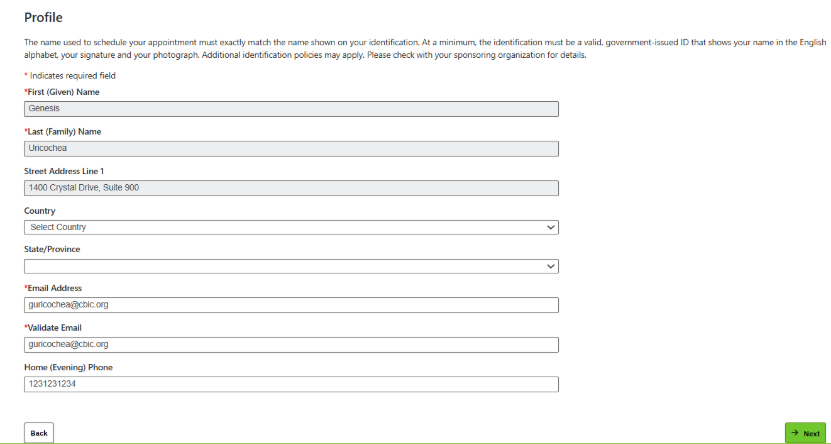
STEP 13: Once you have selected your appointment, confirm the demographics.
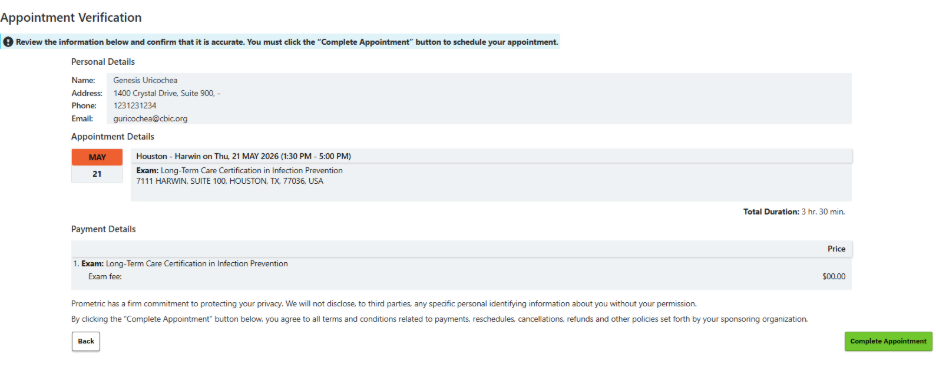
STEP 14: Confirm and complete appointment booking.
Please let us know if you’re still not able to schedule after following the above steps. Please contact us via email: Info@cbic.org. If possible, please provide screenshots of any issues you’re experiencing.